


BLOG |
Blink announcements
New in new release: send sats to any phone number, a new Transfer flow, redesigned Receive and Settings screen and a simplified Home screen.
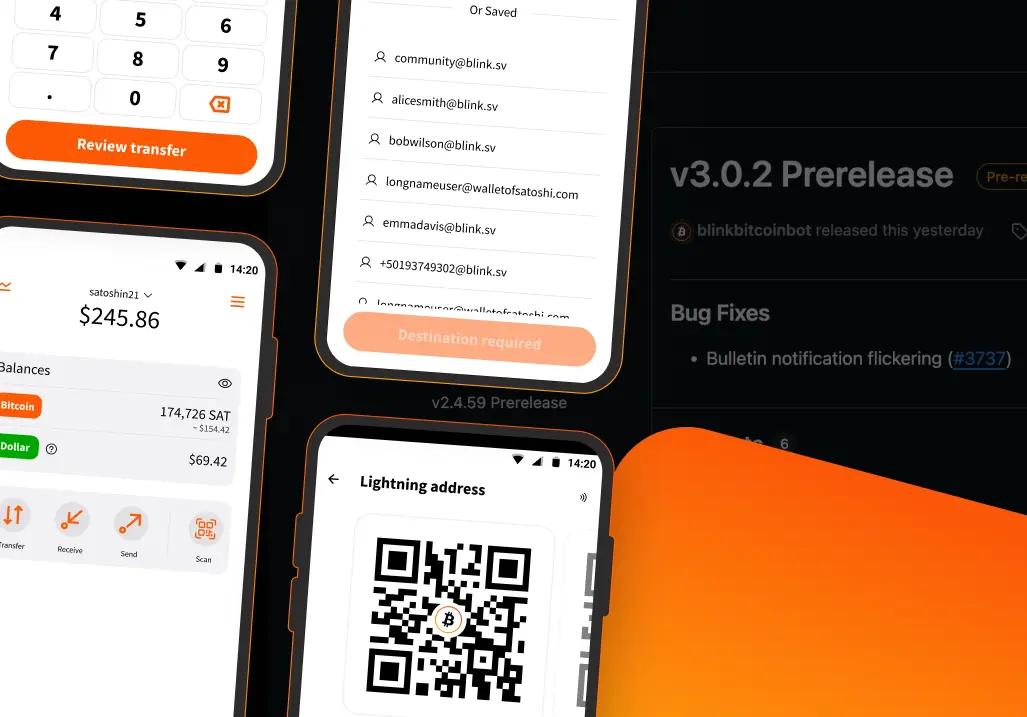


Blink Wallet just shipped its biggest update yet. A new send flow with phone number support, a redesigned Receive experience, a new Transfer flow, and several home screen improvements.
Here is everything new, based on my own testing.
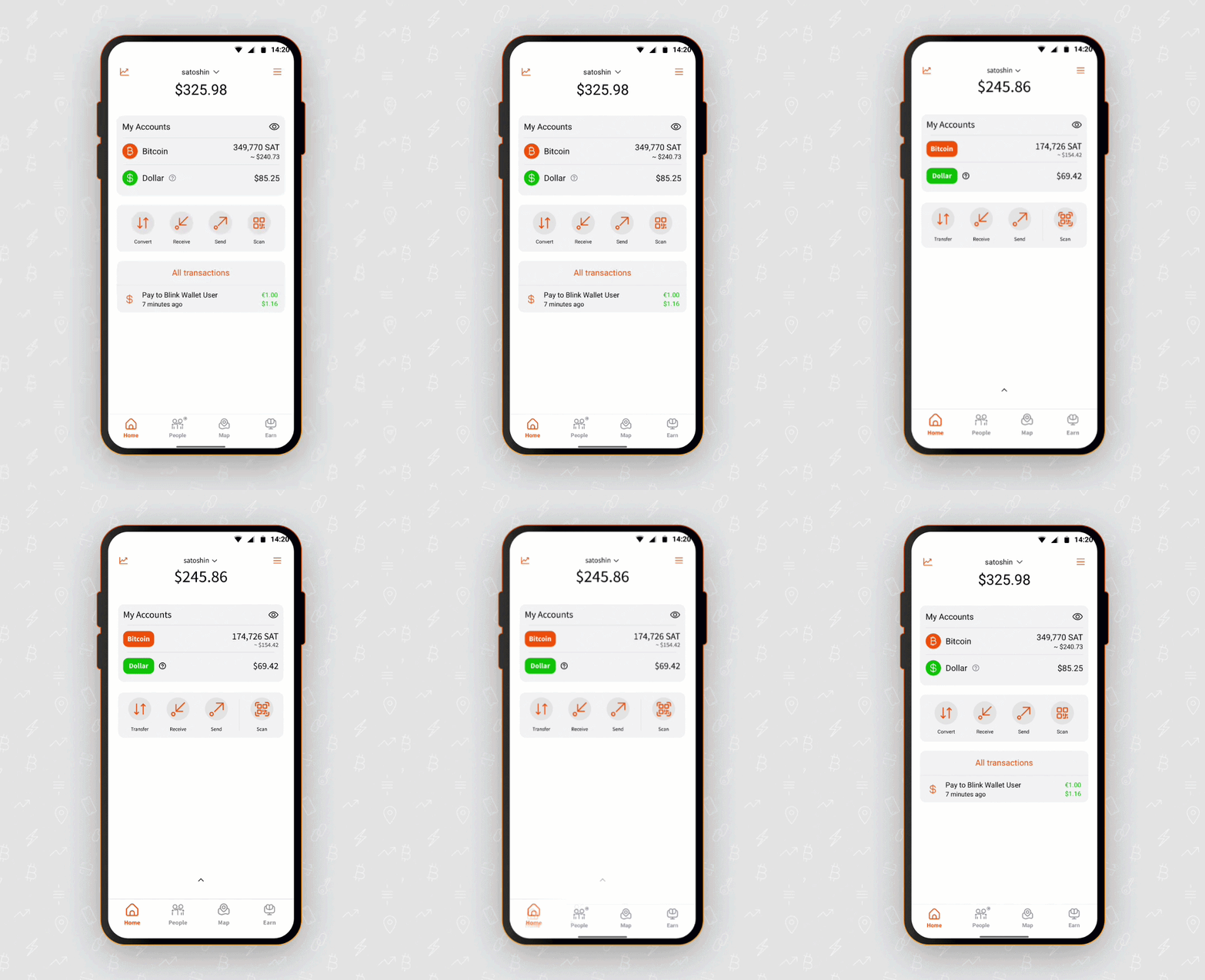
The core Blink experience is the same. What this update does is sharpen the details.
The home screen has been simplified. Your Bitcoin and Dollar accounts are displayed side by side with their local currency equivalents. The layout is cleaner, and a few things have moved to make the most common actions faster to reach.
New on the home screen: a transaction notification that appears when you receive sats, so you see incoming payments without having to go looking. Recent transactions have been removed from the home screen view, instead, there is now a swipe gesture to open your full transaction history. There is also a user switch feature, making it easier to manage multiple accounts from one device.
The Settings screen has been fully overhauled. The Receive flow is new. The Transfer flow is new. All covered in detail below.
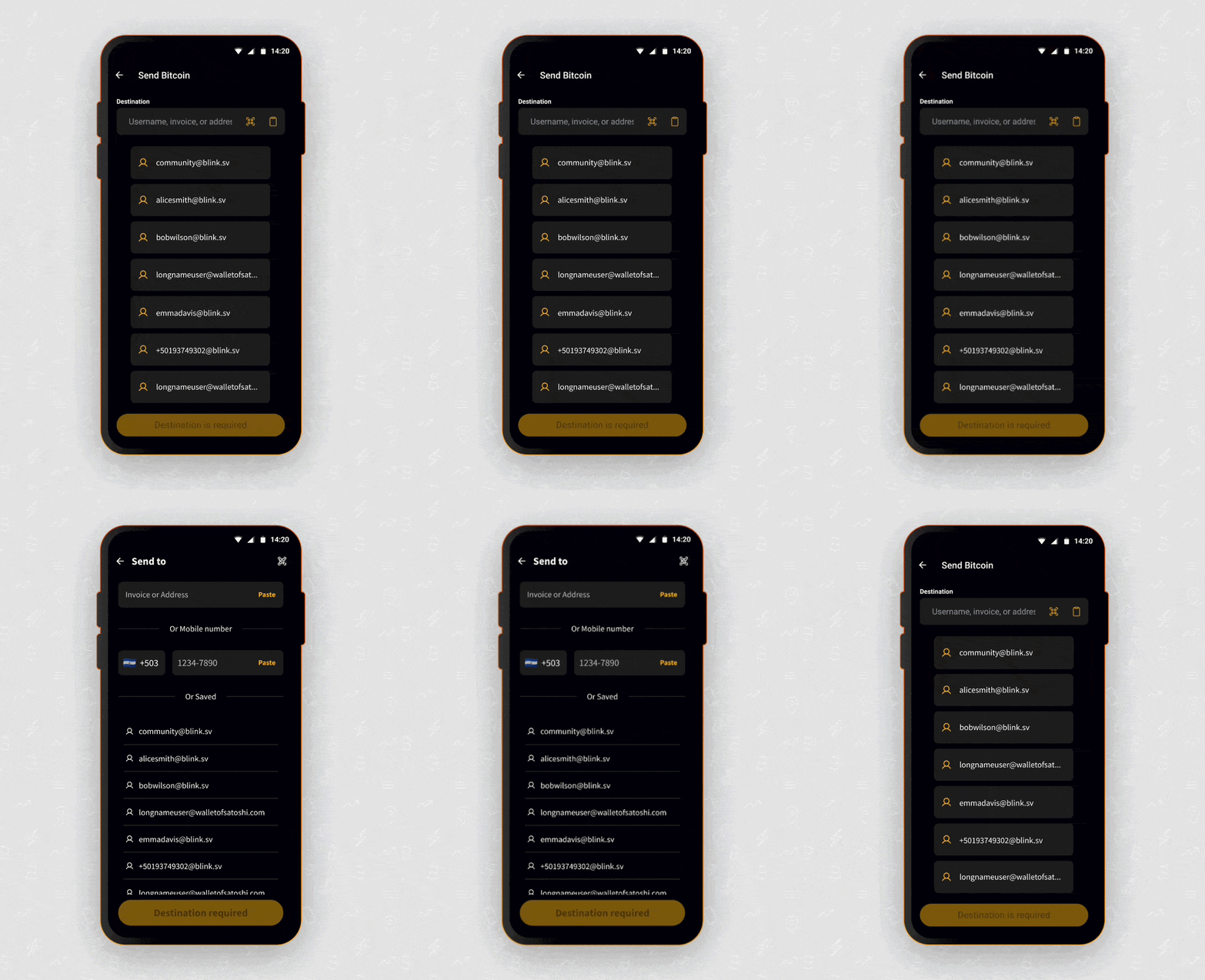
This is the feature that stopped me.
When you tap Send in the new Blink, the screen shows two things: an "Invoice or Address" field at the top and, below it, "Or Mobile Number" with a country code selector ready to go.
Every Blink user has a Lightning address in the format “username@blink.sv”. Blink also maps your phone number to your account, so “phonenumber@blink.sv” routes to you automatically. That means you can send sats to someone who is not yet on Blink just by entering their phone number, they will need to sign up with that same number to claim the sats.
I tested it. Entered the recipient's number, selected the amount, and hit Next. The confirmation screen showed the recipient, the amount, and the fee. Confirmed. The sats arrived instantly.
This has technically been possible for over a year. What is new is that it is now visible in the UI. You do not need to know anything about Lightning addresses or how they are formatted. You just type a phone number, and Blink handles the rest.
For Africa, where everyone has a phone number, and Bitcoin adoption is growing community by community, this is a big deal. Paying someone in your Bitcoin circular economy is now as simple as sending an airtime top-up.
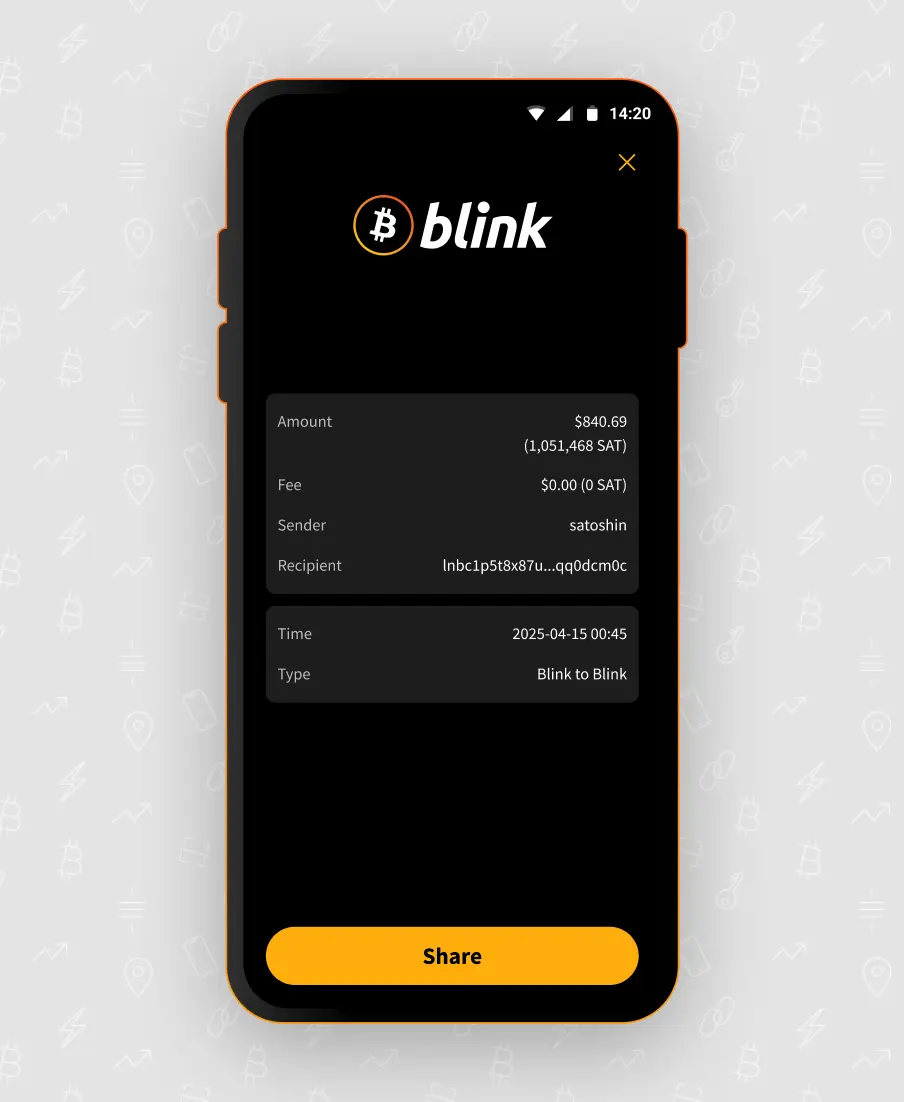
Every completed transaction now generates a clean confirmation screen showing:
There is a Share button at the bottom so you can forward the receipt directly. For merchants and anyone keeping records of Bitcoin payments, this is a genuinely useful addition, the kind of detail that makes Blink feel like a complete financial tool.
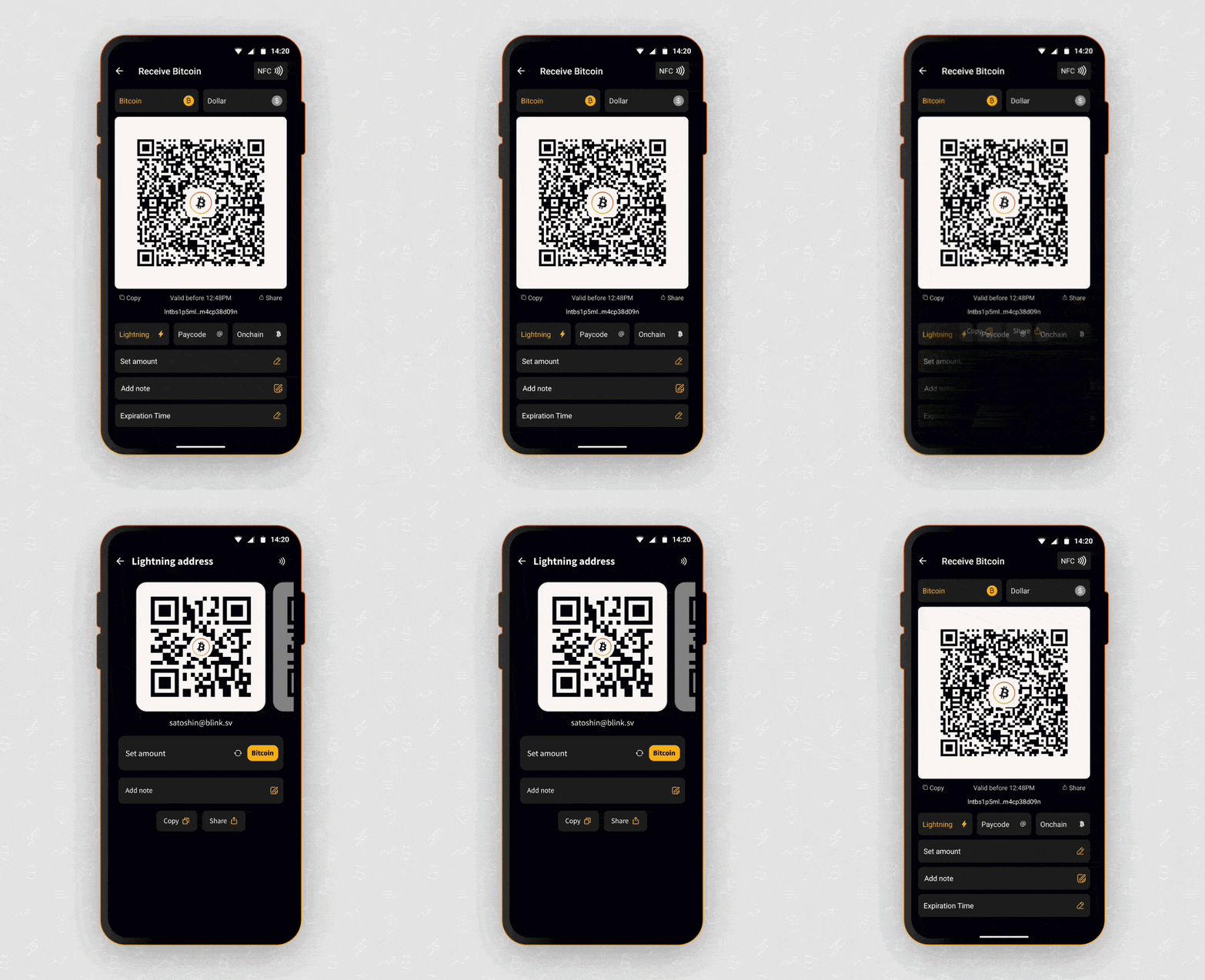
Tap Receive, and you get two swipeable screens:
Your Lightning address is formatted as “username@blink.sv”. By default, it is a reusable address; share it or let someone scan the QR, and anyone on any Lightning-compatible wallet can pay you instantly. But if you set an amount, add a note, or switch to your Dollar account, the QR automatically converts to a Lightning invoice instead. This makes it flexible.
The on-chain screen shows your Bitcoin address with a “Set amount field”, an “add note” option, and “copy” and “share” buttons. The deposit fee is displayed at the bottom, so whoever is sending knows the cost upfront.
Both screens are clean, unambiguous, and fast to share.
Note: the Bitcoin on-chain receive option is available to verified (Level 1 or higher) custodial accounts and to non-custodial accounts. Custodial trial accounts will only see the Lightning address screen.
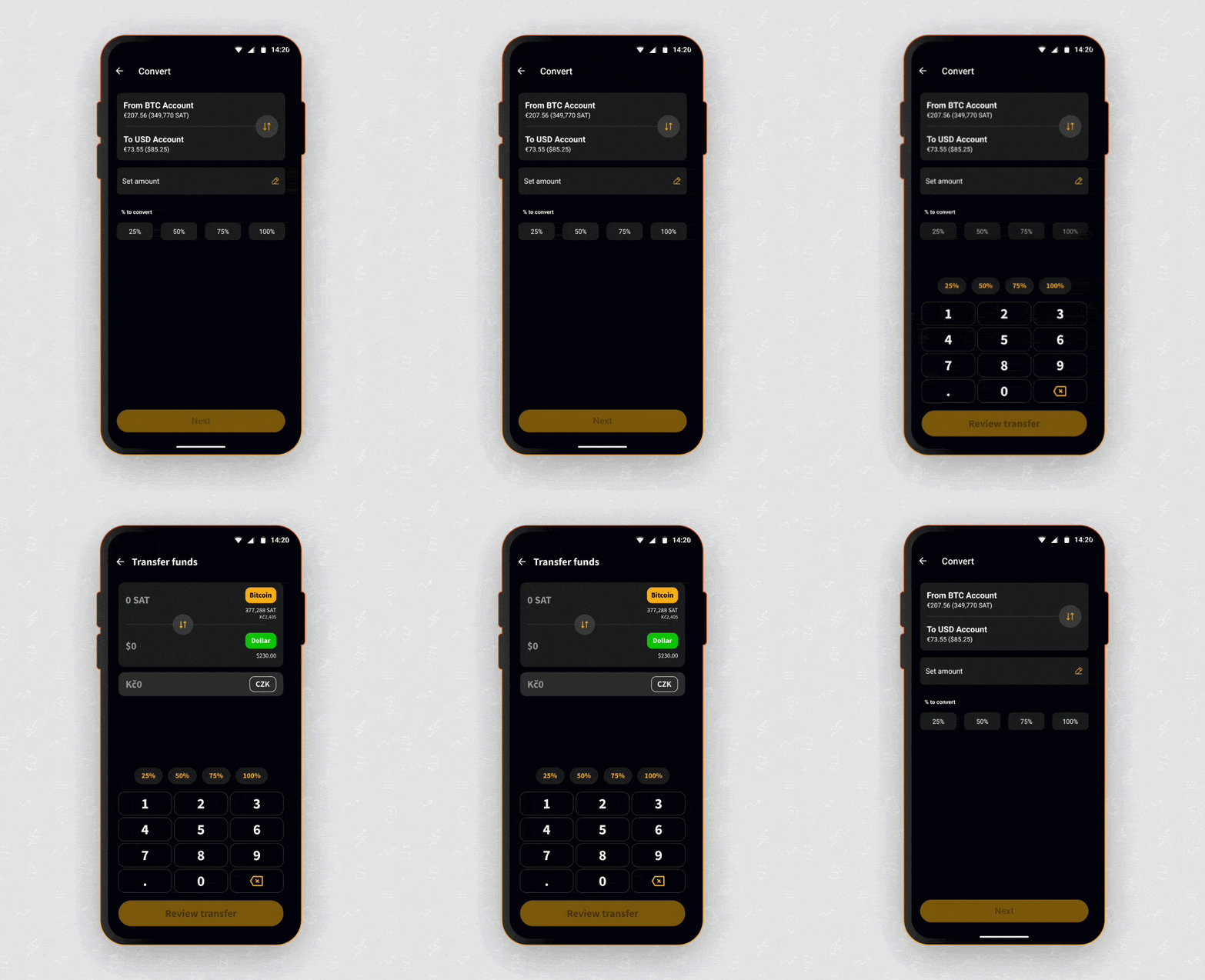
The “Convert button” is now the “Transfer button”. It does the same job with a clearer name: move value between your Bitcoin Account and your Dollar Account (Stablesats).
Switch between your Bitcoin and Dollar wallets and vice versa. Use the percentage shortcuts, 25%, 50%, 75%, 100%, to move funds without doing mental math. Hit Review transfer, and a confirmation screen shows you everything before you commit. Slide to confirm, and it is done.
Everything that made Blink Wallet worth using is still there. Your Bitcoin and Dollar wallets. The merchant map. The Earn section. The Blink API for developers and community builders (custodial-only). The developer docs for anyone building on top of Blink.
The same Lightning Network infrastructure that powers circular economies from Bitcoin Beach in El Salvador to Bitcoin Ekasi in South Africa to Bitcoin Anambra in Nigeria to Yes Bitcoin Haiti in Haiti and circular economies globally.
The update makes everything faster to find and easier to use. The foundation is the same.
The update is live across all platforms. Find the version that works for your device:
Everything above makes Blink smoother. This one changes what Blink fundamentally is, and it is the newest addition, so make sure you are on the latest version to access it.
Blink now lets you choose to hold your own keys. When you create an account, you can pick non-custodial, which means only you can access your funds. Blink cannot freeze them, move them, or recover them for you. Your keys, your Bitcoin, with the same simple experience you already know.
The technology finally caught up, and with regulations tightening around custodial wallets worldwide, Blink chose to give users real ownership rather than drop anyone or ask them to simply trust that their funds stay available. You get plug-and-play backup options like Google Drive, iCloud, or your password manager, so securing your keys is genuinely easy. Your Lightning address stays the same, your Dollar Balance comes along, and if Blink ever disappeared, you could open any Spark-compatible wallet and keep going.
Custodial accounts are not going anywhere for most users, and they remain a great option, especially for newcomers. Non-custodial is simply a choice that is now yours to make.
For the complete story behind why Blink built this, the official announcement is worth a read.
New to Blink Wallet? Download the app and create an account; no phone number required to get started.
Already on Blink? Update the app and try the phone number send. Find someone in your contacts and send them some sats. The whole flow takes under 30 seconds.
Need help? Visit the Blink support page or email support@blink.sv.
Start receiving and sending bitcoin now

.webp)


